
Gaming PC buying advice
Is 32GB RAM Worth It in a Budget Gaming PC?
Compare 16GB and 32GB for real games, the current upgrade premium, and the compatibility checks that matter before spending your gaming-PC budget.
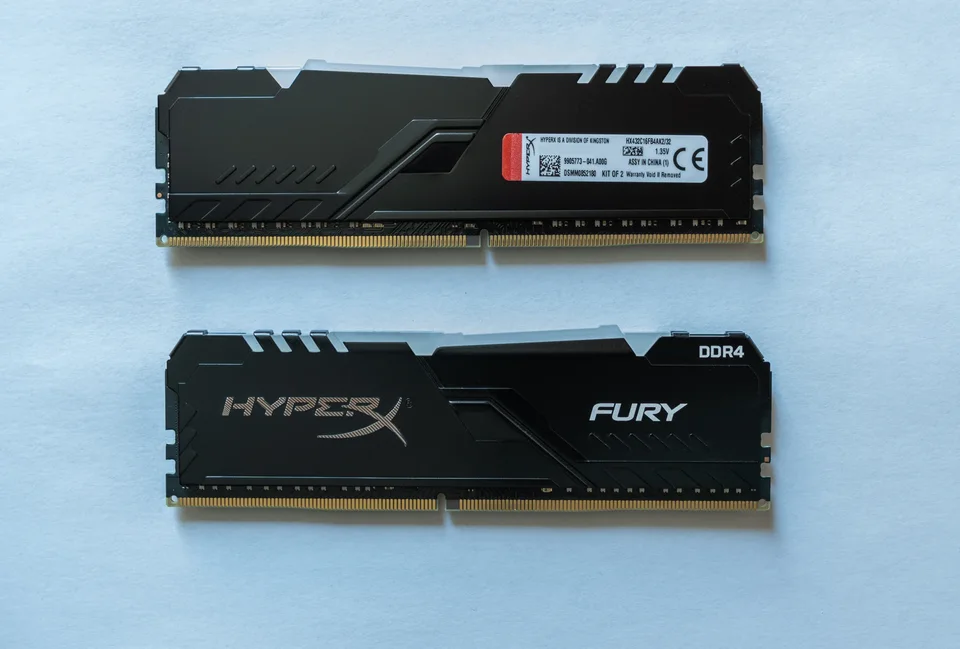
01
Buying for a game that recommends 32GB?
Include 32GB in the starting budget, alongside its CPU and graphics requirements.
02
Your 16GB PC already plays well?
Keep it. More capacity needs a useful job before it deserves your money.
03
Comparing two prebuilts?
Compare the GPU, memory layout and complete price. A 32GB badge cannot settle the decision.
Start with the games you play
A budget gaming PC has several demands on the same pot of money: graphics, processor, storage, memory and a dependable system around them. Our preference is to meet the needs of your actual games, then pay for extra memory when there is a clear reason. A large capacity number on the box is easy to compare; the value of the whole machine takes more work.
This guide is for desktop gaming buyers and owners deciding whether to upgrade. The recommendations below use published specifications and retailer listings. We have not benchmarked these kits or PCs, and we are not promising a frame-rate increase from doubling RAM.
Three games show why there is no universal answer
Fortnite: Epic currently lists 16GB or more in both its recommended requirements and its separate Epic Quality Presets specification. That makes a compatible 16GB configuration a reasonable starting point for a Fortnite-focused budget. It does not establish a guaranteed competitive frame rate.
Cyberpunk 2077: CD Projekt Red lists 16GB for its non-ray-tracing recommended configuration targeting 1080p High. Its higher tiers rise to 20GB, and the ray-tracing Overdrive tier lists 24GB. Pick the target settings before choosing memory; the accompanying graphics requirements matter too.
Microsoft Flight Simulator 2024: the official specifications list 16GB minimum, 32GB recommended and 64GB ideal. If this is the main reason you are buying the PC, we would budget for 32GB from the beginning rather than treating it as an optional flourish.
These are publisher requirements, not our test results. Updates, add-ons and your background apps can change what works comfortably. Check the current requirements for the games and mod packs you actually intend to use.
Sources: Epic Games: Fortnite PC system requirements · CD Projekt Red: Cyberpunk 2077 system requirements · Microsoft Flight Simulator 2024: official PC requirements
The price difference can change the answer
At our October 13, 2026 check, B&H listed Silicon Power XPOWER Turbine DDR4-3200 CL16 desktop kits at $109.99 for 16GB (2 × 8GB, SP016GXLZU320BDA) and $209.99 for 32GB (2 × 16GB, SP032GXLZU320BDA). Both pages showed stock. These are US-dollar advertised prices before applicable tax; delivery eligibility and the final total depend on your address. Recheck before buying.
That is a $100 difference when choosing between these two kits for a new compatible build. It consumes 12.5% of an $800 tower budget. We would not automatically spend that much if 16GB suits the intended games and another component needs the money. This is one real price comparison, not a claim that either kit is the cheapest available or our tested best buy.
An existing owner faces different arithmetic: replacing a 16GB kit with this 32GB kit costs $209.99 upfront, not the $100 difference between new kits. Do not deduct imagined resale proceeds. For a prebuilt, compare the seller's 32GB configuration price with the full compatible replacement cost, including any installation charge.
Sources: B&H: Silicon Power 16GB DDR4-3200 kit and price · B&H: Silicon Power 32GB DDR4-3200 kit and price
When 32GB earns its place
The clearest case is a game or mod pack that recommends more than 16GB. Another is a routine that combines a demanding game with recording, streaming or substantial background work. A voice-chat app alone is not proof that you need 32GB; the combined workload is what matters.
If you already own the PC, reproduce a troublesome session and open Task Manager with Ctrl + Shift + Esc. Check Performance and Memory, then repeat after closing apps you do not need. Repeated slowdowns alongside very little available memory are a reason to investigate capacity. One high percentage is not a diagnosis, and fewer background apps can also reduce CPU load.
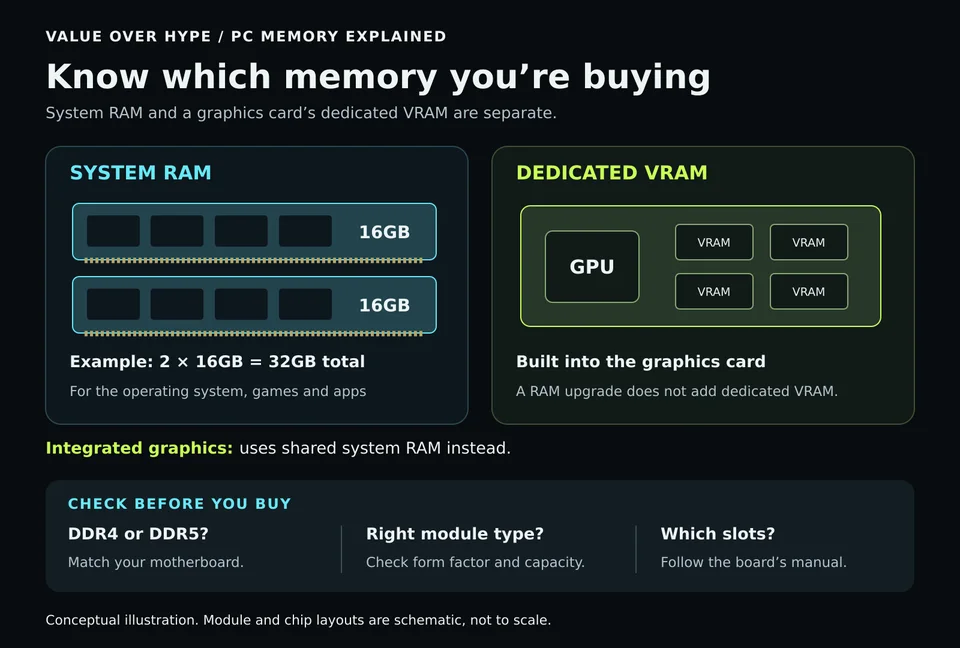
If games already behave well at your preferred settings, keep the money. Extra system RAM also cannot turn a graphics card with 8GB of dedicated VRAM into a 16GB model. Nor does it add SSD space for game installations.
Sources: Microsoft: use Task Manager to investigate performance
Read the small print: 1 × 16GB is different from 2 × 8GB
Two PCs advertising 16GB may have different memory layouts. On a conventional dual-channel desktop, a compatible pair installed in the recommended slots can use both memory channels. Ask the seller how many modules are installed. Do not assume a product photo shows the exact configuration shipped.
For a new 32GB setup, a matched 2 × 16GB kit is a sensible starting point if the system supports it. A two-slot motherboard already filled with 2 × 8GB needs replacement modules to reach 32GB. Four slots leave physical room, but room alone does not establish compatibility.
Corsair warns that combining separate kits, even with the same part number, can cause stability problems. Follow the system maker's supported upgrade path. Budget for one validated matched kit when a reliable add-on match is uncertain.
Sources: Intel: memory channels, module layouts and motherboard documentation · Corsair: DRAM upgrade and kit compatibility guidance
A practical checklist before you buy
1. Write down your three main games, desired settings and any required mod packs. Check recommended requirements, not just minimums.
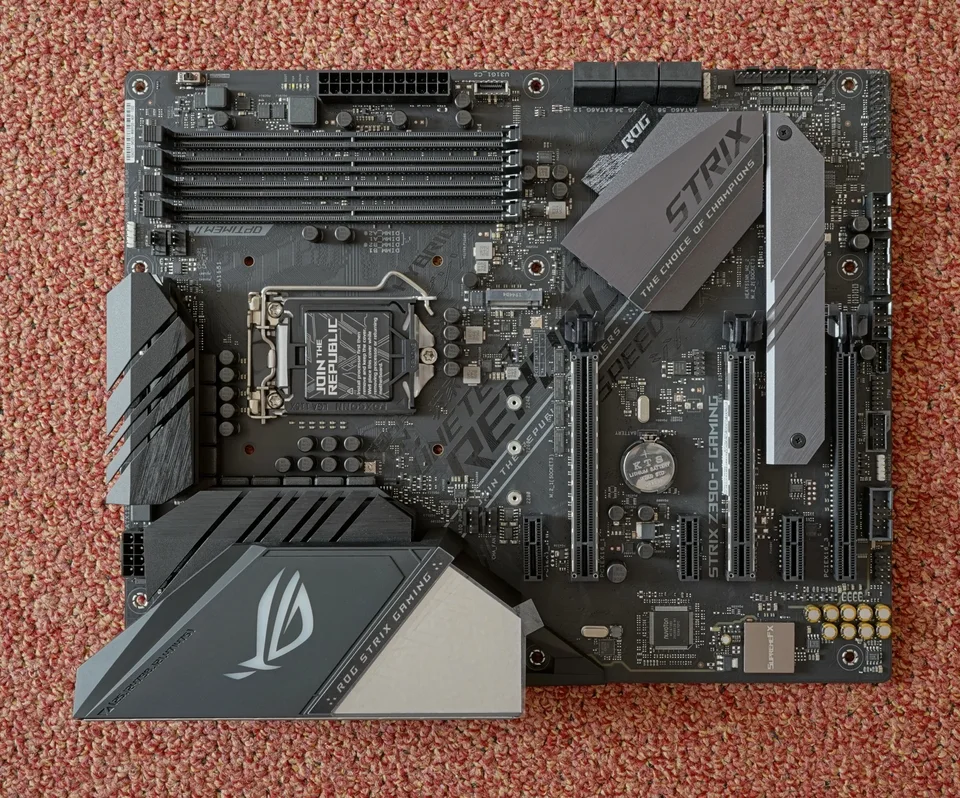
2. Confirm the exact PC or motherboard model, supported memory generation, module form factor, maximum capacity and slot layout. DDR4 and DDR5 are not interchangeable; the kit priced above belongs only in a compatible DDR4 system.
3. Check the supported kit list and service instructions. An advertised memory speed may require a supported XMP or EXPO profile. A prebuilt's firmware may not offer every adjustment, so confirm the supported running speed rather than relying on the kit's headline number.
4. Add tax, any installation and the full replacement cost. Keep enough budget for the monitor and accessories you still need. Our budget gaming-PC guide includes a planner for separating those costs from the tower.
5. Use the return window to try your actual games and background apps. After an upgrade, verify that the full capacity is recognized and check for crashes. Keep the original modules until the replacement works reliably.
Sources: Corsair: DRAM upgrade and kit compatibility guidance · Corsair: memory generation and system compatibility · Corsair: memory profiles and supported speeds FAQ
Common buying questions
Will upgrading from 16GB to 32GB increase FPS?
It can help when insufficient memory is limiting the workload, but there is no guaranteed increase. Games that already fit comfortably may gain little from extra capacity. Module layout, speed, CPU and GPU also affect results.
Is 16GB still enough for a budget gaming PC?
For some games and settings, yes. Fortnite and Cyberpunk 2077's non-ray-tracing recommended tier both list 16GB. Flight Simulator 2024 recommends 32GB. Start with your own games rather than one blanket number.
Can I add another 16GB stick later?
Sometimes, if the system has an accessible compatible slot and supports that combination. Check the exact module and manufacturer guidance. Matching capacity or branding alone does not guarantee stability; replacing the memory with a validated kit may be safer.
Sources & how we reached our advice
Checked October 13, 2026. We used the primary documentation below for compatibility and specifications. Buying thresholds and decisions are our editorial judgment. This guide does not claim hands-on benchmarks, an exhaustive product ranking, or a test score.
- Epic Games: Fortnite PC system requirements
- CD Projekt Red: Cyberpunk 2077 system requirements
- Microsoft Flight Simulator 2024: official PC requirements
- B&H: Silicon Power 16GB DDR4-3200 kit and price
- B&H: Silicon Power 32GB DDR4-3200 kit and price
- Microsoft: use Task Manager to investigate performance
- Intel: memory channels, module layouts and motherboard documentation
- Corsair: DRAM upgrade and kit compatibility guidance
- Corsair: memory generation and system compatibility
- Corsair: memory profiles and supported speeds FAQ
No affiliate links. Editorial standards · Send a correction