
PC parts & value
How to choose a power supply for a budget gaming PC
Buy the right capacity, connections and fit before paying for extra watts or an efficiency badge. A practical PSU checklist for a new build or replacement.
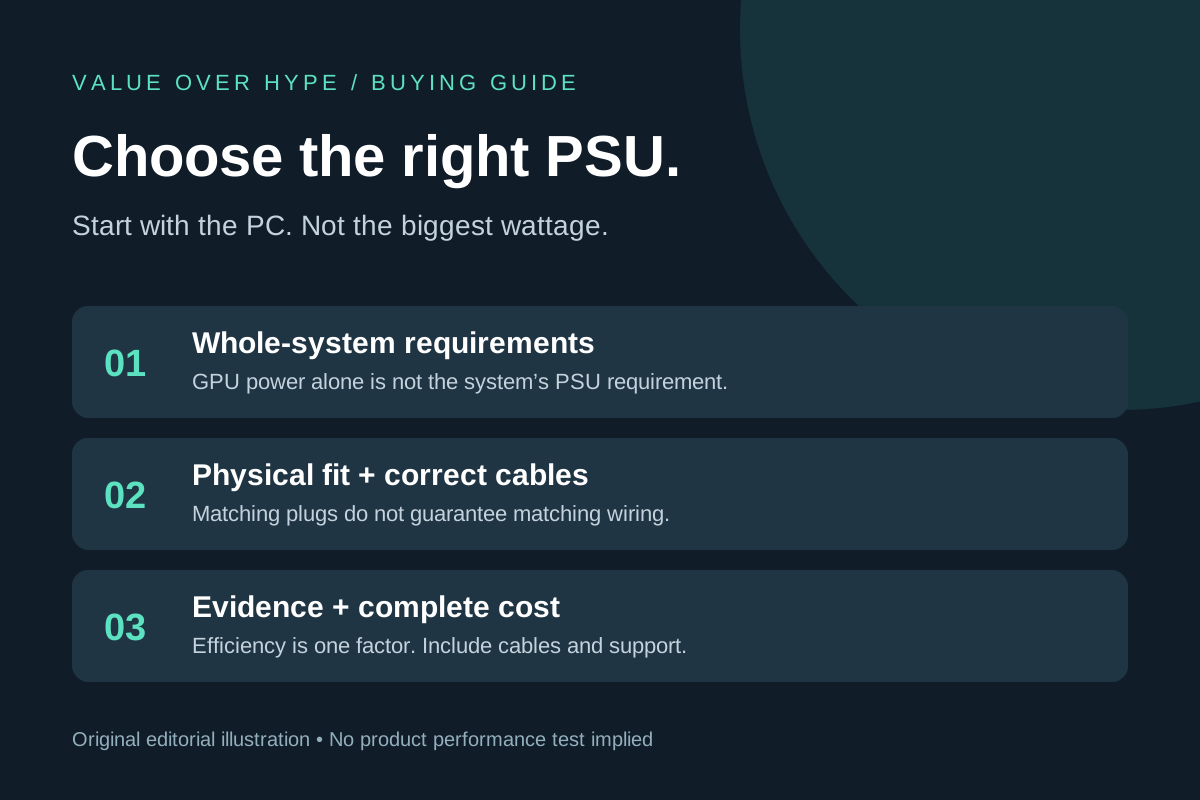
01
Building a modest gaming PC
Start with the exact CPU, GPU and case. Spend on a documented compatible PSU before paying for unused capacity or decorative features.
02
Replacing a prebuilt PSU
Check the system service manual. A standard-looking desktop may use a different physical size or motherboard connection.
03
Planning a GPU upgrade later
Budget for a specific plausible upgrade and its connectors. An unspecified future GPU is not a reason to buy the largest supply.
GPU watts and recommended PSU watts are different numbers
NVIDIA’s GeForce RTX 5060 specifications illustrate the distinction: 145W Total Graphics Power sits beside 550W Required System Power. The first describes the graphics card; the second is a whole-system power-supply recommendation. Do not add 145W to 550W and call the result the manufacturer’s requirement.
NVIDIA’s footnote bases that system recommendation on a PC configured with a Ryzen 9 9950X and says requirements vary with system configuration. Graphics-card partners can also change specifications. This is a specification-reading example checked November 3, 2026, not a recommendation to buy that card or proof that every 550W PSU fits every RTX 5060 computer.
Write down your exact processor, graphics-card part number, motherboard and other installed hardware. Use the card maker’s system-power guidance and the PSU maker’s selection guidance as inputs, then check the actual required cables and case. Check the continuous output rating as well as how the manufacturer accounts for brief power peaks. A calculator estimate is not a compatibility certificate or an electrical test of a particular power supply.
Sources: NVIDIA: GeForce RTX 5060 family specifications and system-power footnote
A compatible wattage is only the first filter
Check the case’s supported PSU form factor, maximum length and usable cable space. ATX and SFX are not interchangeable descriptions of any small metal box. Even within a form factor, the depth and room needed for modular plugs can differ. Read both the case and PSU specifications before ordering.
For an existing prebuilt, begin with its service documentation rather than a generic replacement recommendation. Confirm the mounting arrangement and motherboard, CPU and graphics connections. If the required combination is undocumented, do not make an adapter purchase the foundation of the plan.
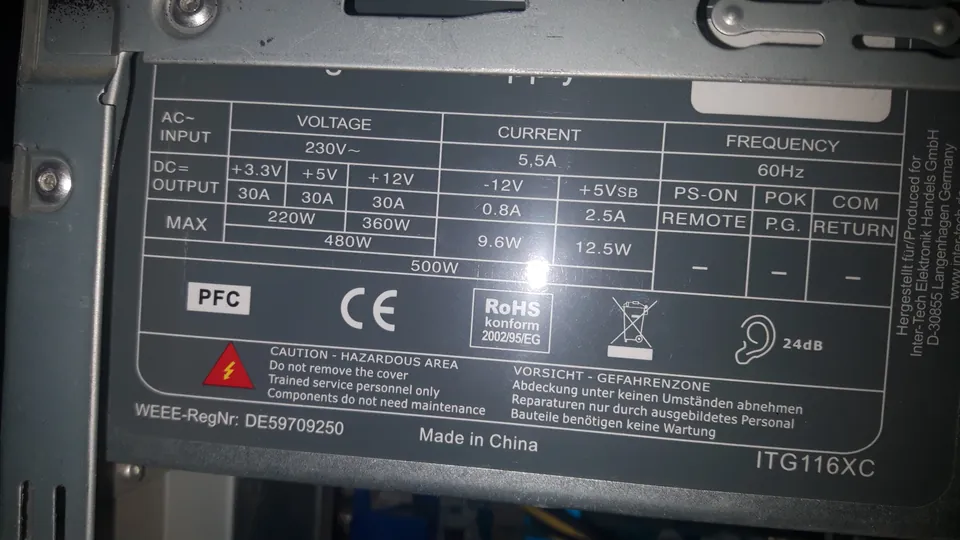
The label is worth reading too. The photographed label lists both a 500W total and a 360W maximum for its +12V rail. They are separately labeled values, not two interchangeable descriptions of capacity. Read your exact model’s documentation rather than assuming the front-page wattage describes every output. The older label pictured here is an illustration, not a modern PSU shortlist or an endorsement of its quality.
Sources: Intel: how to choose a PC power supply
Buy the connections your exact parts require
List the required motherboard, CPU, graphics and drive power connections before comparing supplies. A 750W badge does not tell you which cables come in the box. CPU EPS and graphics PCIe connections are different jobs; do not decide by a similar pin count or force a connector into place.
ATX 3.x and 12V-2x6 appear in current PSU descriptions, but a standards label is not a complete wiring plan. Seasonic’s comparison of ATX 3.0 and 3.1 documents the revised 12V-2x6 graphics connector. Check whether your actual GPU needs that connection, how the PSU provides it, and whether the manufacturer specifies a cable or adapter for the combination.
For a card using a conventional PCIe connector, do not buy extra capacity solely to get a connector it does not use. For a card that does need a higher-power connection, follow the card and PSU instructions for seating, cable routing and any adapter. This article is a shopping guide, not a substitute for those installation instructions.
Sources: Seasonic: ATX 3.0 versus ATX 3.1 · ASUS: PSU power-cable connections
Modular is convenient. Its cables are not universal
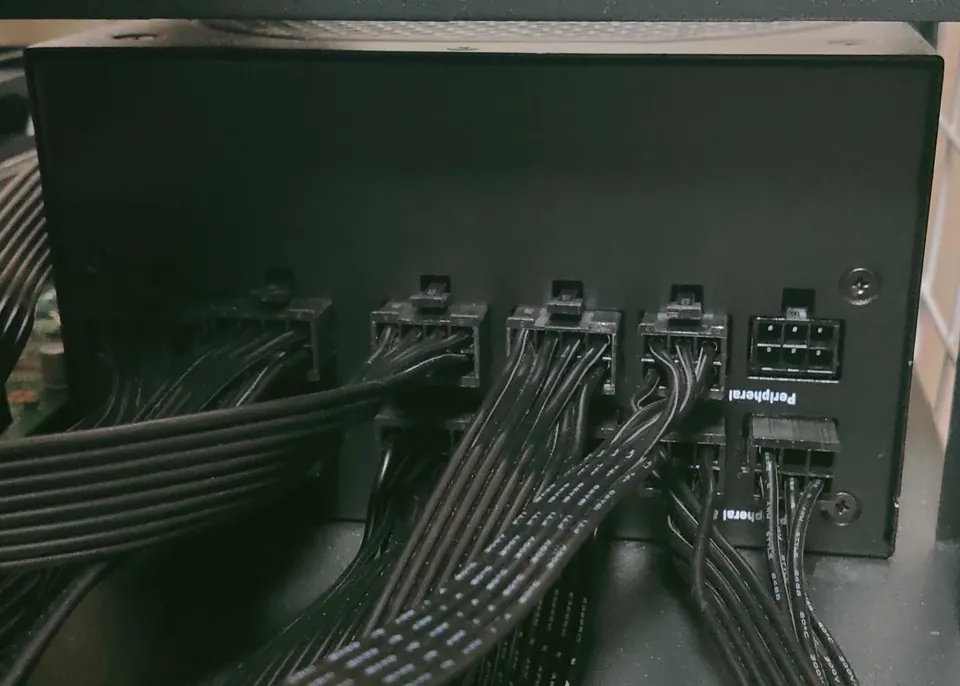
A fully modular PSU lets you detach its power leads; a semi-modular unit retains some fixed leads. That can make a cramped build easier to route, but modularity alone does not certify efficiency or electrical performance. Compare it as a practical convenience after compatibility.
Corsair explicitly warns that PSU cables are not universally interchangeable, including across some models from the same manufacturer. Keep the correct cable set with each supply. When replacing a modular PSU, use its included cables or an exact replacement combination the manufacturer confirms. Matching plugs do not establish matching wiring.
A used supply with missing cables is therefore not priced completely. Add manufacturer-confirmed replacement cables, any needed brackets and the time or labor to fit it. If the model, revision or cable provenance is unclear, our advice is to choose a documented alternative rather than gamble on a bargain.
Sources: Corsair: are modular PSU cables universal?
80 PLUS is an efficiency check, not an all-purpose quality score
CLEAResult’s 80 PLUS program certifies energy efficiency at defined load conditions, with categories for different input voltages and applications. Look up the exact model and applicable test category instead of treating a familiar badge as a complete review.
An efficiency rating alone does not tell you how quiet a PSU is in your case, how its voltage regulation behaves, what its protection circuits do under fault conditions, or how a warranty claim will work. For those questions, seek exact-model technical testing and the maker’s warranty and support terms. We have not bench-tested the supplies photographed here.
A more efficient supply can be worth paying for, but there is no universal payback period. Illustrative arithmetic only: to deliver 300W of DC power at an assumed 90% efficiency requires about 333W from the wall; at an assumed 85%, about 353W. The roughly 20W difference is not a measured comparison of any two products or their behavior at every load. Your usage, actual efficiency curve and electricity rate determine the savings.
Compare two suitable supplies, not two headline wattages
There is no fixed percentage of a gaming-PC budget that guarantees a good PSU. First remove options that fail fit, power or connection requirements. Among the remaining exact models, compare delivered price, included cables, credible testing, return terms and warranty support.
Here is a deliberately hypothetical comparison, not a current deal: a compatible new supply at $85 delivered versus a used supply at $50 plus $25 for confirmed replacement cables totals $75 before installation. The saving is only $10, not $35. Whether that is worthwhile depends on verified condition, warranty and seller terms; a higher wattage number does not answer it.
Likewise, do not pay for a 1000W model simply because a 650W model sounds small. Start from the requirements of your actual build and any specific planned upgrade. The appropriate answer may be more capacity, but make the additional spend solve a known requirement instead of an imagined one.
A final check before you pay
Save the exact PSU model and revision, supported input voltage, dimensions, included cable list and warranty terms. Match them against your case, motherboard and graphics-card documentation. If a seller cannot identify a critical detail, pause the purchase.
Do not open a PSU’s metal enclosure to inspect or repair it. Corsair warns that a PSU can retain a dangerous charge even after it has been switched off for a long time. For PC servicing, follow the system manual’s shutdown, disconnection and electrostatic precautions; use a qualified technician when you cannot establish a supported replacement.
Our value verdict: choose the least expensive well-documented option that genuinely meets the build’s needs, then decide what quieter operation, easier cable routing or a stronger support package is worth to you. Spend less by skipping unnecessary features, not by guessing about power connections.
Sources: Corsair: why you must not open a PSU enclosure
- Exact system and GPU requirements recorded.
- Case fit and cable clearance confirmed.
- Correct cable set and connector count included.
- Efficiency, technical evidence and warranty checked separately.
- Full cost compared, with no unverified adapters or cable reuse.
Common buying questions
Does a 750W PSU always use 750W of electricity?
No. Its output capacity is not a measurement of your PC’s continuous wall consumption. The components’ actual demand and the supply’s efficiency at that load determine input power.
Is an 80 PLUS Gold supply automatically better than every Bronze supply?
No. Compare the exact models and test categories. The badge describes efficiency certification, not a complete assessment of protections, noise, reliability or support.
Can I keep modular cables when replacing a PSU?
Only when the manufacturer explicitly confirms compatibility with the replacement model. Otherwise use the replacement supply’s specified cable set.
Sources & how we reached our advice
Checked November 3, 2026. We used the primary documentation below for compatibility and specifications. Buying thresholds and decisions are our editorial judgment. This guide does not claim hands-on benchmarks, an exhaustive product ranking, or a test score.
- NVIDIA: GeForce RTX 5060 family specifications and system-power footnote
- Intel: how to choose a PC power supply
- Seasonic: ATX 3.0 versus ATX 3.1
- ASUS: PSU power-cable connections
- Corsair: are modular PSU cables universal?
- CLEAResult: 80 PLUS certification program
- Corsair: why you must not open a PSU enclosure
No affiliate links. Editorial standards · Send a correction