
Laptop accessories
Can you charge your laptop through USB-C? Check before buying a charger
Check USB-C charging support, the required power, cable rating and shared-port limits before buying. Three official laptop examples show why the connector alone is not enough.
01
The manual confirms USB-C charging
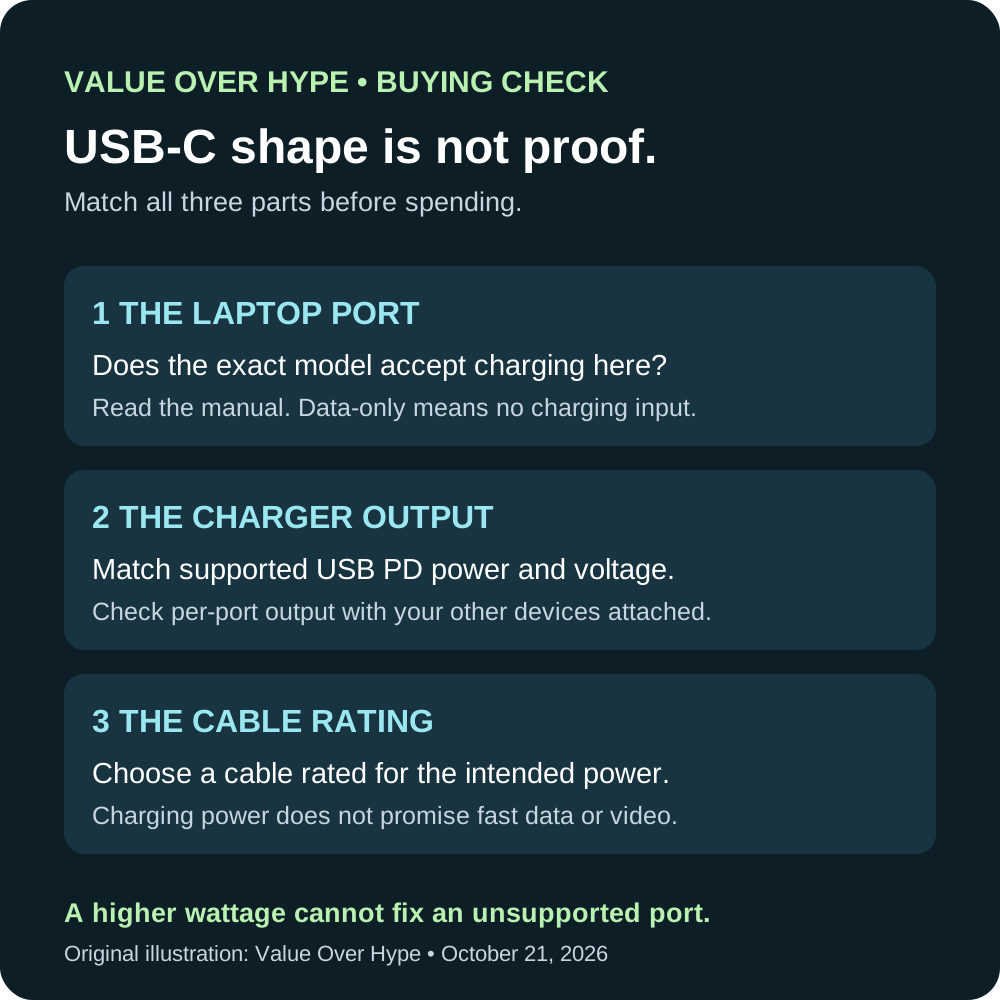
Match the supported input requirements, charger output and cable rating before comparing price.
02
The USB-C port is data-only
Keep using the documented power connector. A more powerful USB-C charger cannot add charging support.
03
A gaming laptop has a separate power brick
Check the USB-C power limit and intended use before treating a smaller charger as a replacement.
Start with the exact laptop, not the shape of the port
Find the full model identifier on the laptop or manufacturer support page. Open its specifications and user guide, then look for USB-C power input, USB Power Delivery charging, or an explicit charging description. A USB data-speed label alone does not answer the question.
Check which port accepts power and whether the instructions distinguish charging while running from charging while asleep or switched off. A port that charges your phone is supplying power outward; you need confirmation that the laptop can receive power through it.
If the documentation is unclear, ask support before ordering: “Does [exact model] charge through USB-C while in use, which port should I use, and what charger output and cable does it require?”
Sources: USB-IF: USB Power Delivery negotiation and power ranges
Three laptops, three different buying decisions
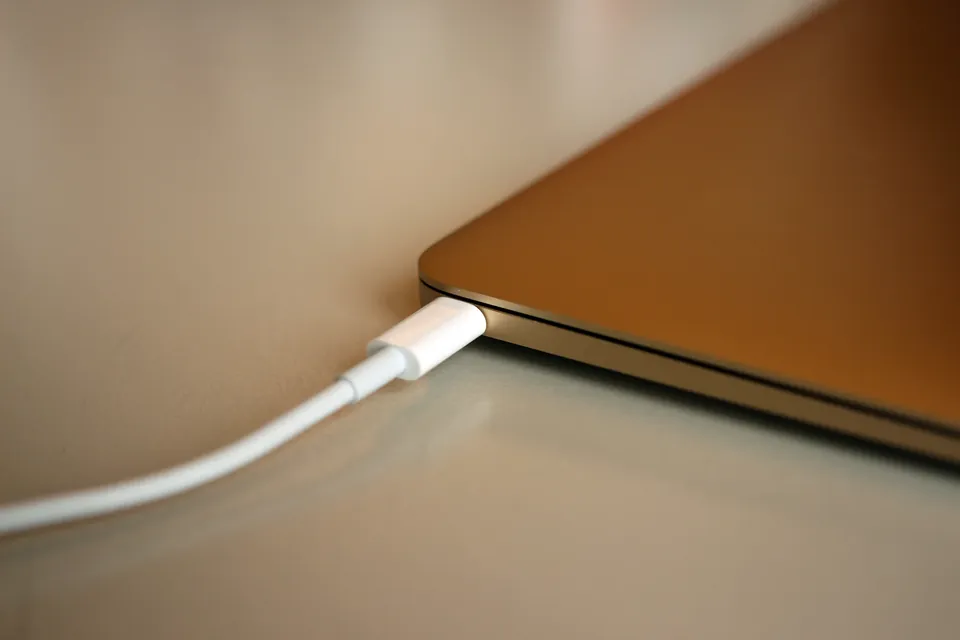
MacBook Air (M2, 2022): Apple explicitly lists charging on both Thunderbolt / USB 4 ports, alongside its separate MagSafe 3 port. You can choose a suitable USB-C charging setup even though the included cable connects through MagSafe. This example is not the 2015 MacBook pictured above.
Lenovo IdeaPad 1 15AMN7: Lenovo specifies a USB-C port for data transfer only and a 65W round-tip power adapter. Do not buy a USB-C charger expecting it to charge this laptop through that port.
Lenovo LOQ 15IRX9: its current specification lists USB PD input at 65–100W. The 140W option uses Lenovo’s own protocol and requires a specific Lenovo adapter. A generic charger labeled 140W is not automatically equivalent.
These are documentation-based examples checked October 21, 2026, not hands-on tests or current purchase recommendations. Do not transfer their capabilities to a similarly named model.
Sources: Apple: MacBook Air (M2, 2022) charging specifications · Lenovo: IdeaPad 1 15AMN7 data-only USB-C port · Lenovo: LOQ 15IRX9 power adapters and USB-C input limits
Read the output specification, not only the headline watts
USB Power Delivery lets compatible equipment negotiate power. Choose a charger that supports the laptop’s required voltage and current, not merely one with a familiar connector. Watts equal volts multiplied by amps: 20V at 3.25A is 65W. That is an arithmetic example, not a universal laptop requirement.
Use the manufacturer’s recommended charging setup as your baseline. Apple, for example, recommends at least the specified minimum wattage for the best charging experience, while allowing compatible higher- or lower-wattage USB PD sources. A higher-rated compatible charger does not force its maximum power into the laptop.
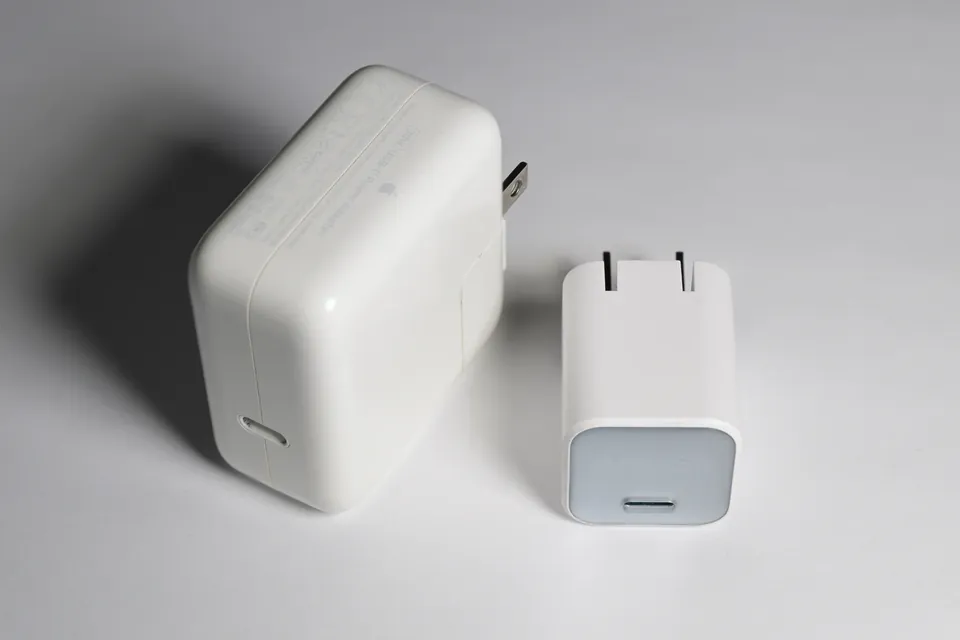
Do not assume a phone charger is adequate because it fits. First establish the output it can supply to this laptop. Also check whether a cable is included, rather than comparing a charger-only price with a complete charging kit.
Sources: USB-IF: USB Power Delivery negotiation and power ranges · Apple: choosing a power adapter and checking connected wattage
A 60W cable is not a full-power 65W cable
For a standard 65–100W setup using 20V, choose a 5A, electronically marked USB-C-to-USB-C cable. A 3A cable reaches 60W at 20V, so it cannot carry the full 65W or 100W. The electronic marker communicates cable capabilities; “e-marked” alone does not tell you every supported capability.
USB-IF’s current cable certification markings use 60W or 240W. A certified 240W cable is a straightforward choice when buying for more than 60W. An existing correctly rated 100W cable can still serve a suitable 100W setup: the end of new 100W cable certification does not turn an undamaged cable into waste.
Check data capability separately if the cable will also connect a display or fast storage. A charging-power rating does not promise the data speed or video features you need.
Sources: USB-IF: USB Power Delivery negotiation and power ranges · Texas Instruments: USB-C current ratings and electronic markers · USB-IF: current cable power markings and 100W certification changes
Above 100W, check EPR and vendor-specific exceptions
USB PD 3.1 introduced Extended Power Range, or EPR, with support up to 240W. Its higher fixed voltages include 28V, 36V and 48V. Getting that power requires compatible equipment throughout: the charger, laptop and EPR-capable cable. Buying only a 240W cable cannot raise the laptop’s charging limit.
EPR cables require electronic markers and the appropriate high-power rating. Do not treat an older 100W cable as an EPR cable. For a new standards-based setup above 100W, look for a properly specified 240W EPR cable and the required output on the charger.
The LOQ example shows why the protocol matters as much as the number. Its Lenovo-specific 140W support should not be confused with a general promise to accept 140W from any USB PD EPR charger.
Sources: USB-IF: USB Power Delivery negotiation and power ranges · Lenovo: LOQ 15IRX9 power adapters and USB-C input limits · UL Solutions: EPR cable marking and testing requirements
Keep the gaming power brick until you verify the alternative
Lenovo lists 170W and 230W slim-tip adapters for the LOQ 15IRX9. Those ratings exceed its documented USB-C input options. Our buying advice is therefore to retain the supplied adapter for demanding use rather than assume a compact USB-C charger replaces it without compromise.
A charger that is convenient for travel may serve a different purpose from the main power supply. Ask the manufacturer about your exact configuration and intended workload. We have not measured gaming performance or battery behavior on these machines and are not claiming a particular frame-rate penalty.
Sources: Lenovo: LOQ 15IRX9 power adapters and USB-C input limits
Check the result before relying on it away from home
Connect the new charger directly to the supported laptop port first. Check the charging status, then run your normal workload with the other devices you expect to charge also connected. Make sure the setup actually meets your needs during the return window, not for the first time at the airport.
On a Mac, System Information’s Power section reports the connected adapter wattage. A charging pause can also reflect battery-health settings or a charge limit, rather than an incompatible charger. If the setup fails, compare with the original working charger and cable to narrow down the cause.
Stop using damaged charging hardware. The value goal is a reliable, compatible setup that replaces something you genuinely need, not the highest wattage available.
Sources: Apple: choosing a power adapter and checking connected wattage · Apple: charging status, charging holds and charge limits · Apple: troubleshooting charging hardware
Common buying questions
Can any laptop with USB-C charge through it?
No. The laptop must support power input through that specific port. Data-only USB-C ports do not become charging ports when you buy a stronger adapter.
Will a 100W charger damage a laptop that needs less power?
A compatible, standards-compliant USB PD setup negotiates power rather than forcing the charger’s maximum output. Confirm the laptop’s requirements and use properly specified charging equipment.
Does a 240W cable make charging faster?
Only if the previous cable was a limiting part of an otherwise compatible setup. The cable cannot make the laptop accept more power than it supports.
Sources & how we reached our advice
Checked October 21, 2026. We used the primary documentation below for compatibility and specifications. Buying thresholds and decisions are our editorial judgment. This guide does not claim hands-on benchmarks, an exhaustive product ranking, or a test score.
- USB-IF: USB Power Delivery negotiation and power ranges
- Apple: MacBook Air (M2, 2022) charging specifications
- Lenovo: IdeaPad 1 15AMN7 data-only USB-C port
- Lenovo: LOQ 15IRX9 power adapters and USB-C input limits
- Apple: choosing a power adapter and checking connected wattage
- Texas Instruments: USB-C current ratings and electronic markers
- USB-IF: current cable power markings and 100W certification changes
- UL Solutions: EPR cable marking and testing requirements
- Apple: 35W dual-port adapter power sharing
- Apple: charging status, charging holds and charge limits
- Apple: troubleshooting charging hardware
No affiliate links. Editorial standards · Send a correction