
Laptop repair value
Is replacing your laptop battery worth it? Compare the repair, not just the battery price
Short battery life does not always mean you need a new laptop. Check battery health, exact-model service options and the complete repair quote before spending.
01
Runtime is the only problem
Start with battery health and a complete repair quote—not a new-laptop shopping cart.
02
Several things need fixing
Add the other necessary repairs and assess whether the repaired machine still meets your needs.
03
The case is bulging
Stop using the laptop. Do not press, puncture or attempt to remove a swollen pack; contact the manufacturer or a qualified service provider.
First separate a runtime problem from a laptop problem
Ask what would make you satisfied with the laptop again. If it runs your normal applications acceptably on its correct power adapter but no longer lasts through the time you need away from an outlet, a battery repair may address the right problem. If storage, memory, display damage or application performance is the real limitation, replacing the battery alone does not resolve that limitation.
Do not buy a battery solely because the laptop shuts down unexpectedly or will not charge. Dell lists unexpected shutdowns among reasons to investigate battery health, but the adapter, connection or other hardware may need diagnosis. Ask the repair provider what the quote actually fixes.
This is researched U.S. repair-buying advice, checked October 27, 2026—not a teardown, repair tutorial or hands-on battery test. We recommend no specific battery SKU or current offer. All dollar amounts below are hypothetical examples, not verified retail prices or service quotes.
Use a battery report as evidence, not a countdown
On Windows 11, Microsoft documents opening Command Prompt as administrator and running powercfg /batteryreport. Open the HTML file at the location the command reports. Review the installed battery information and usage history alongside your actual unplugged runtime.
If the report provides design capacity and full-charge capacity, divide full-charge capacity by design capacity and multiply by 100 for an estimated capacity ratio. For example, 30,000 mWh divided by 50,000 mWh is 60%. That is arithmetic from reported estimates—not a promise of 60% of original runtime or a prediction of when the pack will fail.
A capacity percentage alone is not our replacement rule. Someone who works near an outlet has different needs from someone who requires several hours away from power. Also check the manufacturer’s model-specific diagnostics; Dell provides battery-health checks and service guidance for its own laptops.
Sources: Microsoft: battery care and Windows battery report · Dell: check battery health and replacement options
Get the exact-model part and installation cost
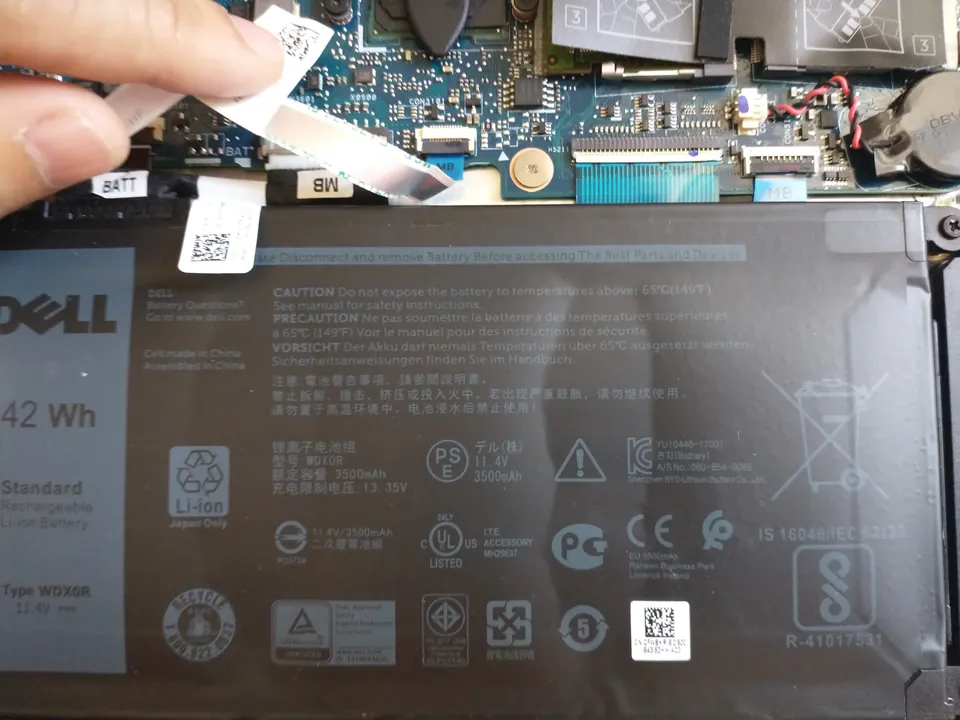
Record the full laptop model and service identifier privately before asking for a quote. A laptop family name, similar-looking connector or matching advertised capacity is not enough to establish compatibility. Ask the manufacturer or service provider to identify the supported replacement for that exact machine.
Dell directs owners to its support site using the Service Tag, then Parts & Repairs and Power & Power Supplies; availability varies by region. Its guidance notes that technician installation can add charges. Other brands have their own part and service channels: do not assume a Dell process applies to every laptop.
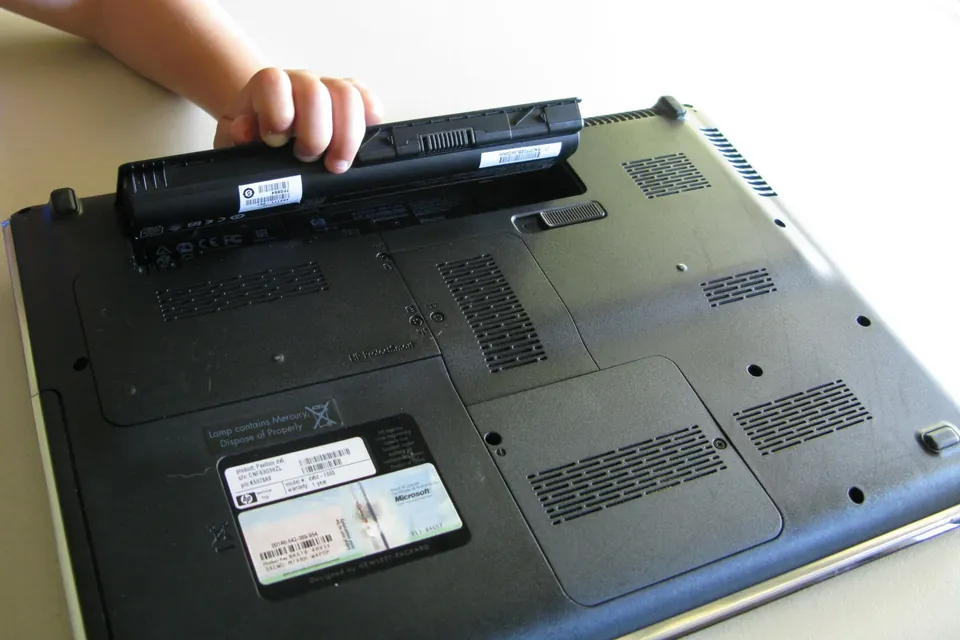
An external removable pack and an internal pack are different service jobs. Ask whether the battery is designated customer-replaceable for your exact model and what the manufacturer’s service instructions require. If it is not, or you are unsure, use qualified service. This guide intentionally does not walk you through opening a laptop or removing a battery.
Sources: Dell: check battery health and replacement options
Compare the complete quote with a suitable replacement
Write down the battery, labor, diagnostic charge, delivery and tax on a consistent basis. Ask whether the diagnostic fee is credited toward repair, what happens if another fault is found, how long you will be without the laptop, and what parts-and-labor warranty the provider gives. Confirm whether an existing warranty covers the fault before paying separately.
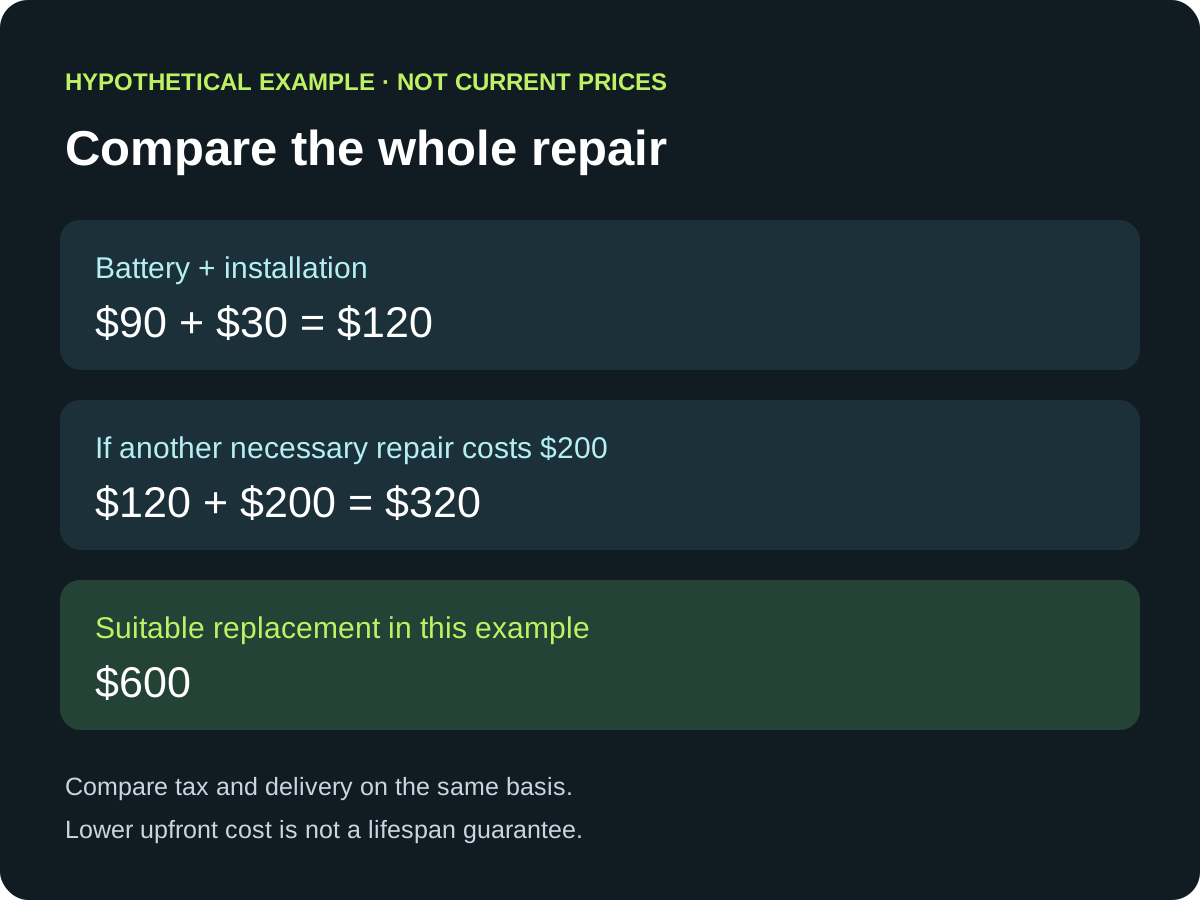
Hypothetical example, not a market price: a $90 battery plus $30 labor is a $120 repair before tax. Against a suitable $600 replacement laptop on the same basis, that is $480 less upfront. If the machine also needs a $200 repair, the combined $320 cost narrows that difference to $280. Neither calculation proves how long either option will last.
Our judgment: favor the repair when it solves your actual problem and leaves enough room in your budget to justify the old machine’s remaining limitations. Favor replacement when the repaired laptop still cannot do the job or the complete quote approaches the cost of a suitable alternative. There is no universal percentage-of-new-price cutoff.
Check the laptop you will have after the repair
Before paying, make a short list of what the repaired machine must still do: run required software, handle your normal workload, provide enough storage, and meet your organization’s operating-system requirements. Do not count a possible future upgrade unless you have checked that exact model’s compatibility and cost.
For Windows users, check Windows 11 eligibility using Microsoft’s requirements and PC Health Check where applicable. A battery replacement does not change the processor or add firmware features needed for eligibility. If you are considering a used replacement instead, include its battery condition and seller support in the comparison—not just its sticker price.
Swelling is a stop-use issue, not a bargain repair experiment
A bulging case, raised keyboard or trackpad, new enclosure gaps, or a screen that no longer closes properly can indicate swelling. Stop using the laptop and contact the manufacturer or a qualified service provider for safe next steps. Do not continue charging it while waiting for advice.
Do not press the case flat, puncture the pack, or try to remove a swollen battery yourself. Follow professional handling instructions rather than mailing or transporting a damaged battery as though it were an ordinary return.
Sources: Microsoft: battery care and Windows battery report · Dell: laptop battery frequently asked questions
Include safe disposal in the repair plan
Ask the service provider whether safe handling and recycling of the old pack are included. In the United States, EPA says lithium-ion batteries and devices containing them do not belong in household garbage or municipal recycling bins. Use an appropriate battery or electronics recycler, or a household hazardous-waste program.
For a damaged battery, contact the manufacturer for handling guidance. Do not assume every collection point accepts damaged packs. If the laptop is no longer useful, evaluate reuse or electronics recycling without attempting an unsafe battery removal.
Sources: U.S. EPA: used lithium-ion batteries
Common buying questions
Will a new battery make my laptop faster?
Do not buy it as a general performance upgrade. The reason to replace a worn battery is to address an identified battery problem; storage, memory and processor limits remain. Ask for diagnosis if performance or shutdowns are the complaint.
Should I replace the battery at 80% capacity?
We do not use one percentage as a universal buying threshold. Use your manufacturer’s diagnostics, safety condition and the runtime you actually need. A report is evidence to discuss with the service provider, not an automatic instruction to spend.
Is using the laptop plugged in an alternative?
Only consider continued use after safety and hardware condition are clear. A swollen battery is not safe to ignore merely because the laptop is connected to an outlet. Ask the manufacturer about continued operation for your exact model and condition.
Can I buy any battery with the same watt-hour rating?
No. Capacity is not a compatibility certificate. Have the manufacturer or qualified service provider confirm the supported part for your exact model before ordering.
Sources & how we reached our advice
Checked October 27, 2026. We used the primary documentation below for compatibility and specifications. Buying thresholds and decisions are our editorial judgment. This guide does not claim hands-on benchmarks, an exhaustive product ranking, or a test score.
- Microsoft: battery care and Windows battery report
- Dell: check battery health and replacement options
- Dell: laptop battery frequently asked questions
- Microsoft: Windows 11 system requirements
- U.S. EPA: used lithium-ion batteries
No affiliate links. Editorial standards · Send a correction