
Laptop buying value
Is a refurbished or open-box laptop worth it? Check the seller, not just the discount
Compare Apple, Dell Outlet, DellRefurbished and Best Buy terms, then check battery condition, missing chargers and account locks before keeping a discounted laptop.
01
The discount survives the extras
Compare delivered cost plus necessary charger, repairs and any chosen coverage with a genuinely comparable new laptop.
02
The seller’s terms are clear
Save the actual condition description, battery terms, included accessories and return deadline before ordering.
03
The machine passes acceptance checks
Set it up and test your normal work promptly. Resolve account or organization locks before you keep it.
Open-box, refurbished and off-lease are not interchangeable
Open-box may mean a customer return or a display unit. Refurbished describes a seller’s refurbishment program; it does not identify one universal inspection process or battery standard. Off-lease describes where the equipment came from, not its remaining useful life.
Write down the full model identifier, processor, RAM, storage, display, operating system and seller. A laptop family name can cover several years and configurations. Compare the actual machine with a new alternative that does the same job—not with a launch price or a more expensive configuration you would never buy.
This is researched U.S. buying advice based on seller and manufacturer policies checked October 26, 2026. We have not bought or tested units from these programs for this article. It is not an inventory roundup: no specific discounted laptop, price or availability is being recommended.
Sources: Dell Outlet categories and warranty · DellRefurbished buying programs · Best Buy Outlet buying guide
Four buying programs with materially different terms
Apple Certified Refurbished: Apple describes full functional testing, replacement parts as needed, included accessories and a one-year limited warranty. Its explicit new-battery and new-outer-shell promise applies to refurbished iOS devices; do not assume every refurbished MacBook gets a new battery. Apple’s U.S. direct-purchase return window is 14 calendar days from receipt.
Dell Outlet: the program separates New & Unused, Like New (Refurbished), and Scratch & Dent. Dell says its refurbished Outlet computers receive the same limited hardware warranty and service as new Dell products. Read the exact service term for your configuration. Dell’s standard direct return policy generally starts its 30-day clock at the invoice date; approved personal-use consumer returns receive free labels and no restocking fee, subject to the policy.
DellRefurbished.com: this is a different buying program selling off-lease equipment. Its standard limited warranty is 100 days and excludes expendable items such as batteries. Initiate eligible returns within 30 days of invoice, and obtain approval and an RMA before shipping. Nondefective, non-error returns may incur a 15% restocking fee. Do not import Dell Outlet’s terms into this purchase.
Best Buy open-box: Excellent can include original accessories or suitable replacements. Good may lack parts or accessories; Fair commonly lacks accessories. Open-box products are included in the return policy. For most products, the window is 15 days for Standard customers or 60 days for Plus/Total members, starting at receipt. Marketplace purchases do not receive the membership extended window. Check the seller, item category and actual unit’s contents.
Before paying, save the listing and the policy that applies to that seller and order. Confirm when the clock starts, who pays return shipping, any restocking charge, whether battery wear is covered, and whether a replacement must be accepted instead of a refund. A short invoice-based window can lose useful days in transit.
Sources: Apple Certified Refurbished promise · Apple US return policy · Dell Outlet categories and warranty · Dell direct return policy · DellRefurbished buying programs · DellRefurbished limited warranty · DellRefurbished returns · Best Buy Outlet buying guide · Best Buy return and exchange policy
Price the complete laptop, not the sticker
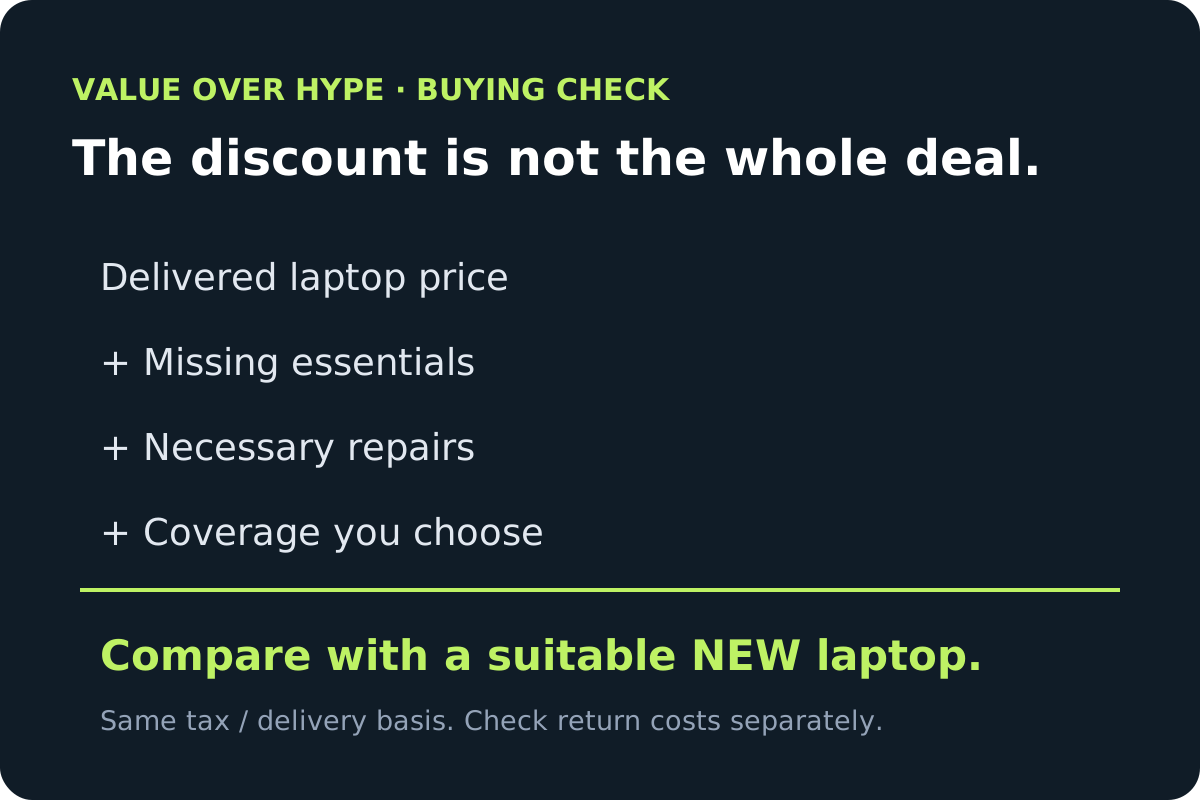
Add the delivered laptop price, any missing essential charger or cable, quoted necessary repairs, and optional coverage you actually intend to buy. Compare taxes and delivery on the same basis. A possible restocking fee is a separate cost if you return it—not an expense to silently add to every successful purchase.
Illustrative arithmetic, not a current offer: a $450 laptop plus an $80 necessary charger is a $530 setup before tax. Against a comparable $600 new setup on the same basis, the saving is $70, not $150. Decide whether that remaining saving compensates you for the documented condition and different support terms.
We do not prescribe a universal minimum discount or assume a battery replacement price. Obtain a model-specific quote if replacement is already necessary. If the total is close to a suitable new laptop, our preference is the clearer condition and support path rather than the larger advertised percentage discount.
A missing charger can change the deal
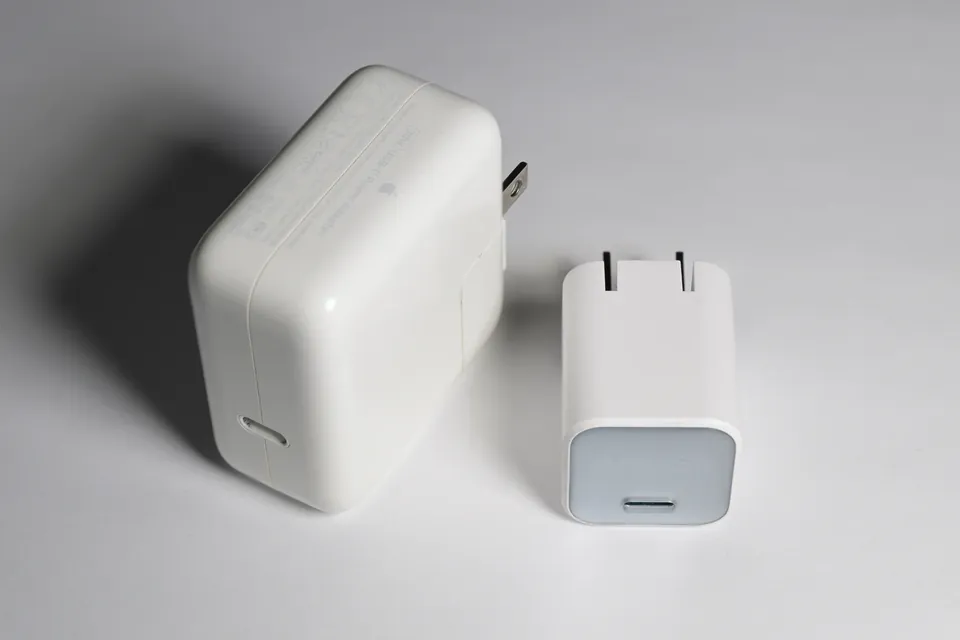
Check the actual included adapter and cable, not only a photo of the laptop. A USB-C socket does not guarantee USB-C charging, and a small phone adapter is not automatically adequate. Match the manufacturer’s required power input, connector and cable rating for the exact laptop.
For a gaming laptop, establish whether the original high-power adapter is included and what performance the manufacturer supports with an alternative. Do not value a charger-less unit as though any inexpensive USB-C brick restores the original setup.
Check supported software and ownership before keeping it
For a Windows laptop, check the exact hardware against Microsoft’s Windows 11 requirements, including a supported processor, TPM 2.0 and UEFI/Secure Boot capability. For a machine running Windows 10, Microsoft’s PC Health Check can help establish upgrade eligibility. “Windows installed” is not the same claim as supported hardware; minimum eligibility is also not a performance recommendation.
For a Mac, complete setup and check for an existing owner’s Activation Lock. An erased machine can still require the previous owner’s account credentials. The seller must resolve that ownership issue; do not pay for a promised workaround.
An unexpected Remote Management screen is a different warning. Apple explains that this setup pane cannot be skipped for applicable organization-enrolled managed devices. Our advice: pause acceptance or use the return process until the seller has arranged proper organizational release and the required erase/restore. If the seller cannot resolve enrollment promptly, initiate the return before your deadline. Do not treat a school or company enrollment as a harmless cosmetic defect.
Sources: Microsoft Windows 11 system requirements · Apple Activation Lock for Mac · Apple Setup Assistant and Remote Management · Apple releasing organization-owned devices
Use the return window as an acceptance window
Open the shipment promptly and keep the packaging, receipt and accessories. Stop using the laptop if its battery is visibly swollen. Record any mismatch against the listing before changing hardware. This checklist is a practical acceptance screen, not a certification of long-term reliability.
Sources: Microsoft battery care and battery report
- Confirm the delivered CPU, RAM, storage and display match the order, and check the chassis, hinges, keyboard and screen for undisclosed damage.
- Set up the operating system and install normal updates. Stop if account ownership or organization enrollment prevents ordinary use.
- Try charging, Wi-Fi, webcam, microphone, speakers and the ports you need, using appropriate known-working accessories.
- Run your actual school, office or gaming workload and check that the screen, fan behavior and unplugged runtime are acceptable for you.
- On Windows, an administrator Command Prompt can run powercfg /batteryreport. Read the generated HTML report’s estimated capacity and usage information; one report is not a remaining-lifespan guarantee.
- If something important is wrong, contact the seller through its return process before the deadline. Do not spend the window on speculative repairs.
Buy a documented saving, not a refurbishment label
A clearly described older business laptop with the right configuration can be a more rational purchase than a poorly specified new bargain. It can also be poor value if battery condition, software support or return costs defeat the saving. Neither age nor a refurbishment badge settles that question.
Our decision rule: the exact machine must fit your work; the total cost must justify its compromises; and the written seller terms must give you a workable route if it arrives wrong. If any of those three is unknown, keep comparing rather than inventing a discount large enough to make the uncertainty disappear.
Common buying questions
Does a refurbished laptop always have a new battery?
No. Read the exact program’s battery promise and exclusions. Apple’s explicit refurbished new-battery promise names iOS devices, not every Mac. DellRefurbished.com excludes batteries from its standard limited warranty.
Is Dell Outlet the same as DellRefurbished.com?
No. Dell Outlet has several condition categories and describes same-as-new limited hardware warranty and service. DellRefurbished.com sells off-lease equipment with a standard 100-day limited warranty and different return terms.
How much cheaper should an open-box laptop be?
There is no universal percentage. Compare complete delivered cost, missing essentials, necessary repairs and chosen coverage with a comparable new machine, then judge the remaining saving against condition and support differences.
Sources & how we reached our advice
Checked October 26, 2026. We used the primary documentation below for compatibility and specifications. Buying thresholds and decisions are our editorial judgment. This guide does not claim hands-on benchmarks, an exhaustive product ranking, or a test score.
- Apple Certified Refurbished promise
- Apple US return policy
- Dell Outlet categories and warranty
- Dell direct return policy
- DellRefurbished buying programs
- DellRefurbished limited warranty
- DellRefurbished returns
- Best Buy Outlet buying guide
- Best Buy return and exchange policy
- Microsoft Windows 11 system requirements
- Microsoft battery care and battery report
- Apple Activation Lock for Mac
- Apple Setup Assistant and Remote Management
- Apple releasing organization-owned devices
No affiliate links. Editorial standards · Send a correction