
Storage upgrade decisions
PCIe 4.0 vs 5.0 SSD: is the gaming upgrade worth it?
Do not buy a faster interface before checking your actual storage problem. Compare capacity, exact slot support, game evidence and the complete cooling cost.
01
Working Gen4 drive
Keep it unless you can identify a worthwhile capacity or workload benefit.
02
Buying new storage
Compare equal capacities and the complete installed cost.
03
Considering Gen5
Verify the exact CPU, M.2 slot and cooling arrangement first.
First name the problem you are paying to solve
This is researched buying advice, not a hands-on comparison of Gen4 and Gen5 drives. We have not measured game loading, frame rates or the photographed hardware. The model names below explain specifications, not a ranked shopping shortlist.
Write down the reason for the upgrade: running out of room, an incompatible old drive, a measured storage bottleneck, or a new build that needs storage anyway. “The number is higher” is not an outcome. If your existing drive holds your games and works well, keeping it costs nothing.
Our preference for a budget gaming build is to protect useful capacity before paying for an interface badge. Do not turn that into a blanket rule that every Gen4 model is better value than every Gen5 model. Actual prices, capacities and product quality still decide the comparison.
Read the exact M.2 slot specification
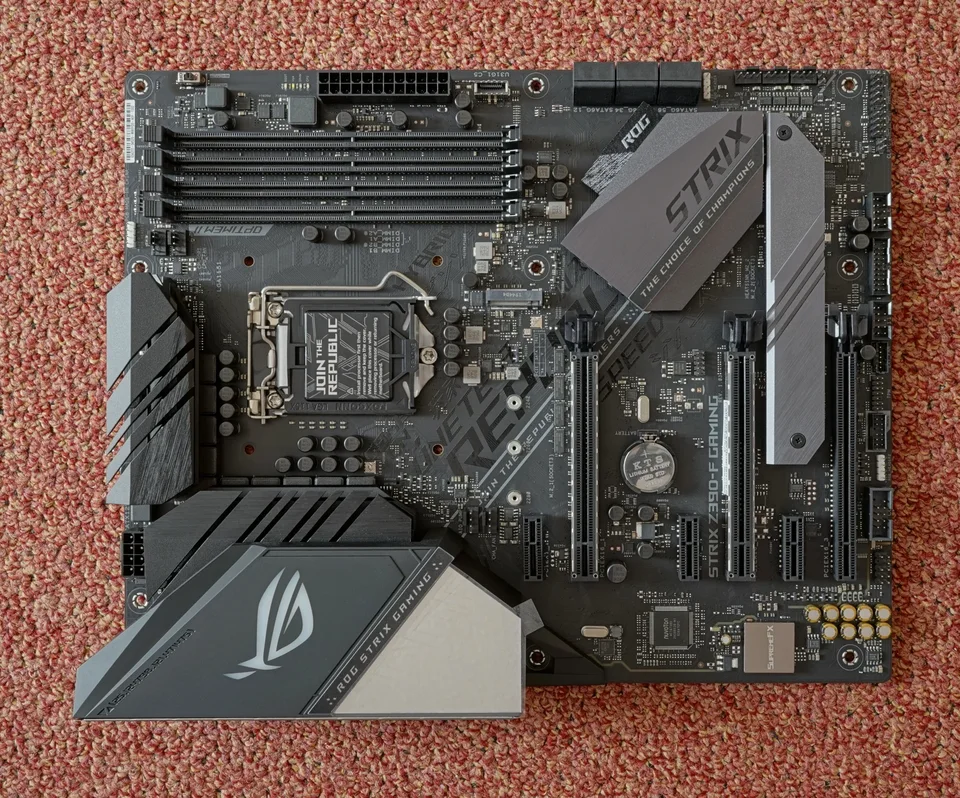
A motherboard advertised with PCIe 5.0 does not make every storage slot Gen5. ASUS lists the TUF GAMING B850-PLUS WIFI’s M.2_1 as PCIe 5.0 x4 with Ryzen 9000 or 7000 processors, but PCIe 4.0 x4 with Ryzen 8000 processors. Its other M.2 slots have different specifications. That is one board’s documented example, not a universal AM5 rule.
Before checkout, record your board model, installed CPU and intended slot. Check supported drive length and any bandwidth-sharing notes. Kingston describes its FURY Renegade G5 as backward compatible with Gen3 and Gen4 systems; that compatibility does not turn an older slot into a Gen5 connection.
Sources: Kingston: FURY Renegade G5 specifications and test conditions · ASUS: TUF GAMING B850-PLUS WIFI technical specifications
Sequential MB/s is not a game-loading result
Kingston publishes different sequential read/write specifications for different FURY Renegade G5 capacities and identifies the hardware used for its fresh-out-of-box testing. Those figures describe a specified storage test, not a measured saving in your favourite game.
Keep the questions separate: how long does a particular level take to load, how does asset streaming behave, and what happens to frame rates? A sequential transfer headline does not answer all three. Look for testing of the actual game and relevant drive capacity rather than converting a speed ratio into an assumed reduction in waiting time.
If you also edit video or move large datasets, assess that workload separately. A drive can be worth buying for work without needing a claim that it transforms gaming.
Sources: Kingston: FURY Renegade G5 specifications and test conditions
DirectStorage is not a Gen5-only badge
Microsoft’s March 2022 PC announcement made DirectStorage available for developers to implement in games. Buying a different SSD does not, by itself, add that implementation to every game.
Its October 2022 introduction to DirectStorage 1.1 described GPU decompression and recommended NVMe storage for significant improvements, without making PCIe 5.0 a requirement. This is dated architectural background, not a claim that 1.1 is the latest release or that every current title has identical requirements.
Check the particular game’s current operating-system, graphics and storage requirements. Do not accept “DirectStorage ready” as sufficient evidence that you need Gen5, or as a promise of a particular loading-time improvement.
Sources: Microsoft: DirectStorage API PC launch, March 2022 · Microsoft: DirectStorage 1.1 introduction, October 2022
Compare the installed cost, not just the bare drive
Kingston’s cooling guidance explains that sustained heat can cause thermal throttling, and that many motherboards already provide M.2 heatsinks. It also calls out clearance and correct thermal-pad contact. The useful question is which cooling arrangement your exact drive and computer require, not whether every Gen5 drive needs the same accessory.
Include any required cooling hardware in the quote. Verify that it fits under the graphics card or motherboard cover. Do not pay for a second heatsink automatically when a compatible one is already supplied, and do not assume a desktop cooler will fit a laptop.
Compare equal capacities, delivered prices, warranty conditions and endurance ratings. We make no live price or stock claim here. A sale can change the value decision, but it cannot change your slot’s documented support.
Sources: Kingston: NVMe cooling and heatsink guidance
When would we choose Gen5?
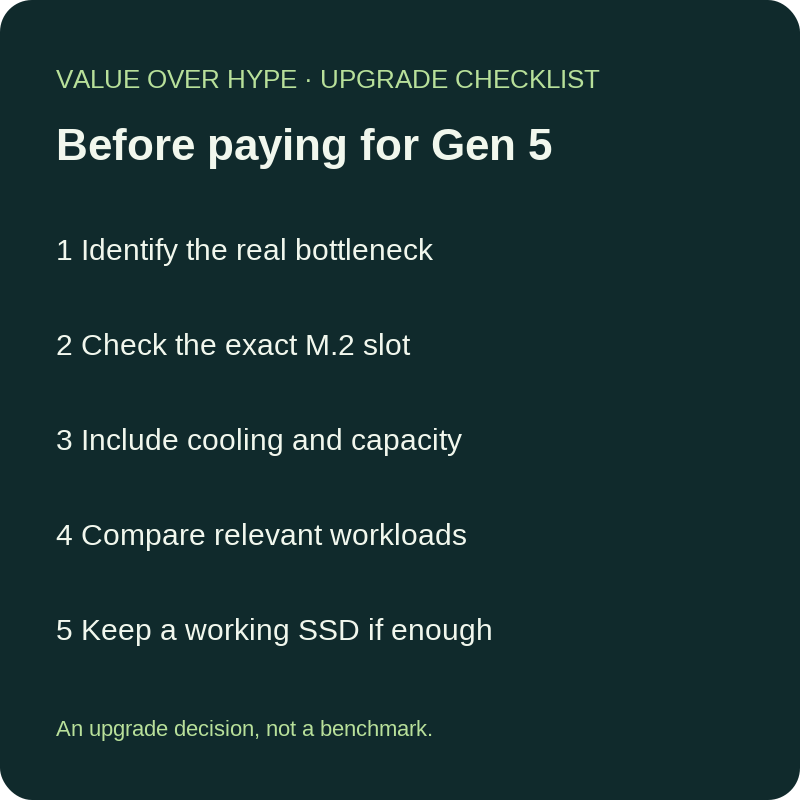
We would consider it for a compatible new build when the equal-capacity total is close enough that no useful part of the budget is sacrificed, or when credible testing shows a worthwhile benefit in a workload we actually run. Neither condition requires pretending that every game benefits equally.
We would not replace a working drive or change a motherboard solely to chase an advertised sequential figure. Write the intended capacity, exact part number, selected slot and cooling variant together so that a cheaper listing cannot quietly substitute a different configuration. Save the configuration and total cost before buying; if you cannot explain the improvement you expect, leave the upgrade on the wish list.
Common buying questions
Does DirectStorage require a PCIe 5.0 SSD?
Gen5 is not a universal DirectStorage requirement. Check the specific game’s requirements rather than treating the feature name as a reason to replace a compatible drive.
Are these photos of drives you benchmarked?
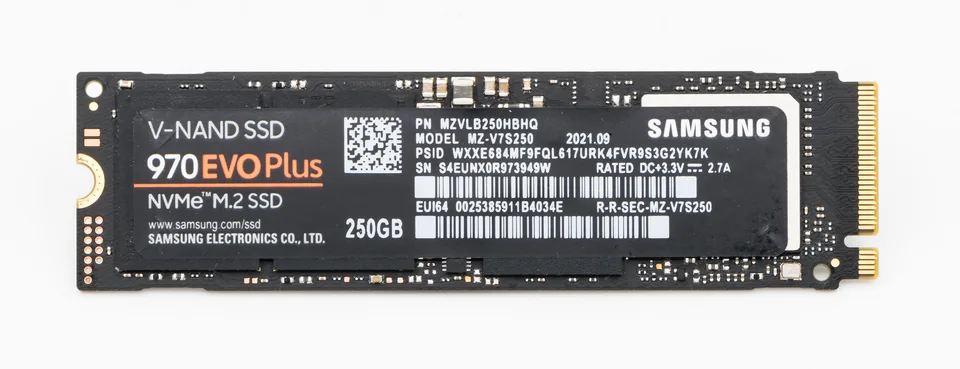
No. The hero is an older Samsung 970 EVO Plus Gen3 SSD, included to illustrate M.2 hardware. We have not benchmarked it for this guide.
Should I buy a smaller Gen5 SSD instead of a larger Gen4 drive?
Not just for the interface label. Our buying preference is enough useful capacity first, followed by verified compatibility, workload evidence and the complete price.
Sources & how we reached our advice
Checked November 17, 2026. We used the primary documentation below for compatibility and specifications. Buying thresholds and decisions are our editorial judgment. This guide does not claim hands-on benchmarks, an exhaustive product ranking, or a test score.
- Kingston: FURY Renegade G5 specifications and test conditions
- ASUS: TUF GAMING B850-PLUS WIFI technical specifications
- Microsoft: DirectStorage API PC launch, March 2022
- Microsoft: DirectStorage 1.1 introduction, October 2022
- Kingston: NVMe cooling and heatsink guidance
- Samsung: 970 EVO Plus launch and Gen3 interface identification
No affiliate links. Editorial standards · Send a correction