
Storage upgrade decisions
Does your NVMe SSD need a heatsink?
Check the SSD requirement, motherboard cooling and laptop clearance before buying an M.2 heatsink. A useful upgrade is not always an extra part.
01
Desktop with a heatsink
Check the board’s instructions before paying for a second cooler.
02
Drive requires cooling
Follow the exact SSD requirement, even if your workload sounds light.
03
Laptop upgrade
Verify its service manual, shield and available space. Desktop fit is not laptop fit.
Start with the requirement, not the accessory listing
This is researched buying advice, not our heatsink comparison or a benchmark of the pictured hardware. The useful question is whether your exact installation needs additional cooling, not which accessory looks most substantial.
Crucial’s T700 illustrates why model numbers matter. Its 2TB CT2000T700SSD3 is the version without a heatsink; CT2000T700SSD5 includes one. Crucial specifies a motherboard or alternative heatsink for optimal performance of the bare version, alongside proper airflow. That is a requirement for this product family, not proof that every NVMe SSD needs a separate purchase.
We are not recommending these older example models as current deals. No price or stock claim is made. Before buying, check the exact capacity, part number, cooling variant, seller, availability and delivered total.
Already have a motherboard heatsink? Check it first
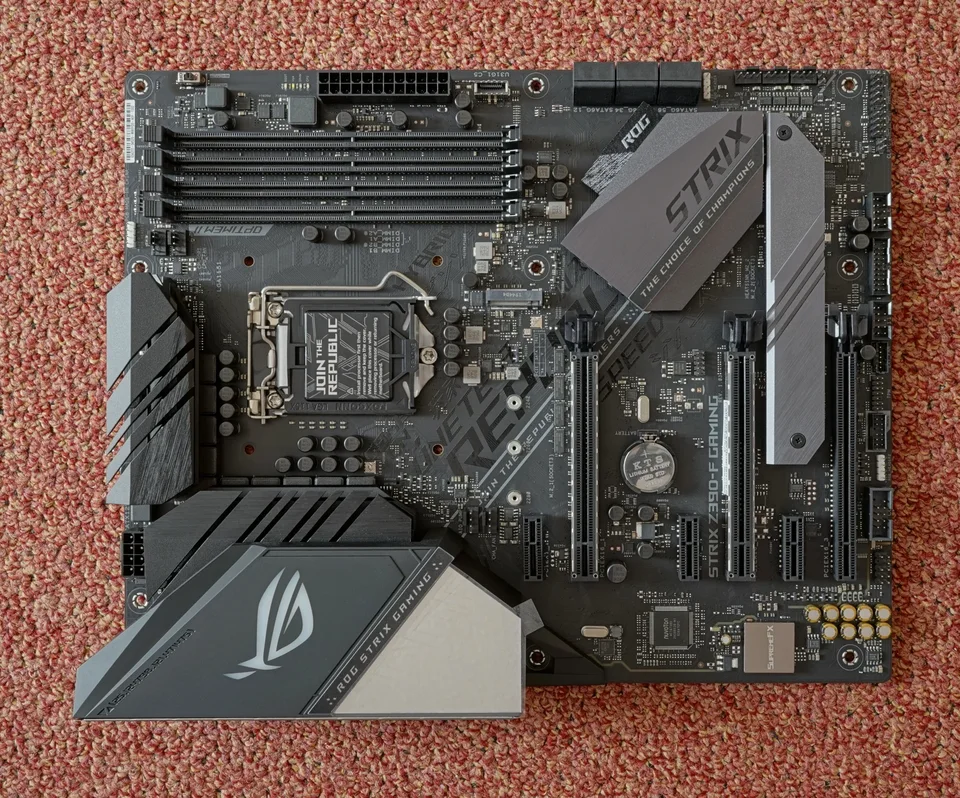
A motherboard’s compatible M.2 heatsink can be a sensible starting point. Confirm which slot it covers, the supported drive dimensions and whether the installed graphics card leaves enough room. A loose cooler that happens to sit over the drive is not a verified fit.
Installation details matter. The ASUS TUF GAMING B850-PLUS WIFI manual instructs users to remove protective film from its heatsink pads before reinstalling the heatsinks. Its specified replacement pad is 1.25mm thick. That number belongs to that board, not every motherboard. Follow your exact manual rather than buying the thickest pad or stacking pads.
Do not confuse removable protective pad film with the SSD’s product label. Follow the drive maker’s instructions for the label. Back up important files, disconnect power and follow the system maker’s anti-static and service procedure before opening the PC.
Sources: Kingston: M.2 NVMe cooling guidance · ASUS: TUF GAMING B850-PLUS WIFI manual
Do not plan to remove a factory cooler to make it fit
Samsung’s 990 PRO with Heatsink datasheet gives maximum dimensions of 80.15 × 25 × 8.88mm and tells buyers to check host clearance. It also warns against removing the factory heatsink because that can damage the SSD and states that removal voids its product warranty. These dimensions and terms are specific to that product.
Choose the correct bare-drive or heatsink-equipped variant before checkout. If a motherboard cover conflicts with the factory cooler, consult both manufacturers’ instructions rather than forcing the cover down or assuming the cooler can safely be dismantled.
A laptop needs its own answer
A desktop heatsink recommendation does not establish laptop compatibility. Check the exact laptop model, SSD slot, drive length and service parts. The lid closing is not evidence that a cooler is safe: pressure on components and the specified thermal arrangement still matter.
Dell’s G15 5535 manual recommends an M.2 2280 SSD paired with a Dell thermal shield for a user-installed drive in slot 2, and describes fastening that shield during installation. This is a useful counterexample to the claim that laptop SSDs never need cooling hardware. It is not an instruction to buy a Dell shield for a different laptop.
If the manual does not establish compatibility, leave the generic aftermarket heatsink out of the purchase plan until the missing information is resolved.
Sources: Dell: G15 5535 SSD installation
A slower copy is not automatically a cooling problem
Kingston explains that sustained heavy workloads or prolonged benchmarking can heat its KC2000 and trigger controller-managed thermal throttling. That supports checking cooling when performance falls under load; it does not diagnose every slow file transfer.
If you suspect heat, record the exact drive, the task, reported temperature and when performance changes. Compare that evidence with the manufacturer’s operating guidance. An idle reading alone does not describe a sustained workload. Avoid applying one temperature threshold to every SSD.
Our buying judgment: fix a documented installation or airflow issue before adding another part. A heatsink may help when heat is the limiting factor, but do not buy one on a promise of higher game frame rates or a faster interface. We have not measured either outcome here.
Sources: Kingston: M.2 NVMe cooling guidance · Kingston: KC2000 thermal-throttling support
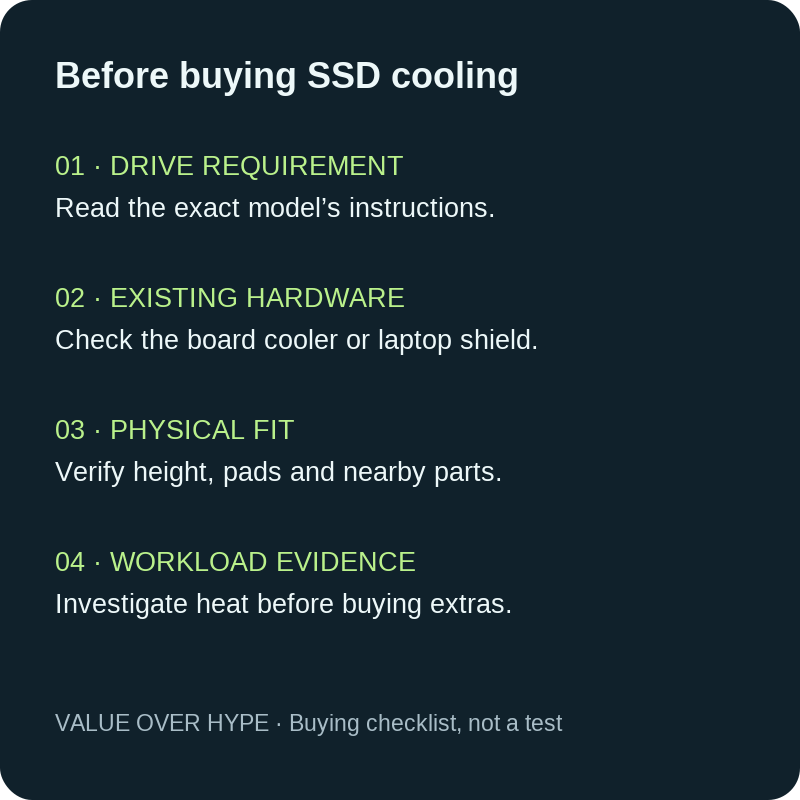
What to put in the final purchase note
Write one complete configuration: computer or motherboard model, SSD part number and capacity, selected M.2 slot, required cooling hardware and verified clearance. Then compare complete costs rather than bare-drive prices.
If the board already supplies the appropriate cooler, that may eliminate an accessory from the quote. If the drive needs specific cooling or the laptop needs a service part, include it before deciding whether the upgrade is good value. No purchase is better than an incompatible upgrade.
Common buying questions
Does every NVMe SSD need a separate heatsink?
No universal rule fits every drive and computer. Follow the SSD requirement and system instructions; a compatible motherboard cooler may already provide the required hardware.
Can I stack a motherboard heatsink on a factory heatsink?
Do not assume the two are designed to work together. Verify the manufacturer-approved installation and clearance rather than forcing both into place.
Is this a PS5 installation guide?
No. This guide covers PCs. Console storage has its own dimensional and cooling requirements, which should be checked separately.
Sources & how we reached our advice
Checked November 15, 2026. We used the primary documentation below for compatibility and specifications. Buying thresholds and decisions are our editorial judgment. This guide does not claim hands-on benchmarks, an exhaustive product ranking, or a test score.
- Kingston: M.2 NVMe cooling guidance
- Crucial: T700 product flyer and part numbers
- Samsung: 990 PRO with Heatsink datasheet
- ASUS: TUF GAMING B850-PLUS WIFI manual
- Dell: G15 5535 SSD installation
- Kingston: KC2000 thermal-throttling support
No affiliate links. Editorial standards · Send a correction