
Everyday laptop buying guide
Should you buy a Windows on Arm laptop? Check your actual workflow
Check apps, drivers, work VPNs and games before buying a Windows on Arm laptop. A low price is poor value if one essential task cannot run.
01
Every essential task is covered
Compare the whole laptop: price, memory, display, ports and credible battery evidence.
02
One required tool is unclear
Resolve that tool’s support before buying, even when the main app runs.
03
A favorite game is the priority
Check the game, online mode and real performance on the exact laptop separately.
Start with the tasks you cannot lose
A familiar Windows desktop can make compatibility feel like a settled question. The deciding detail may instead be a company VPN module, scanner utility, audio plug-in or the anti-cheat system in a favorite game. Write those requirements down before comparing sale prices.
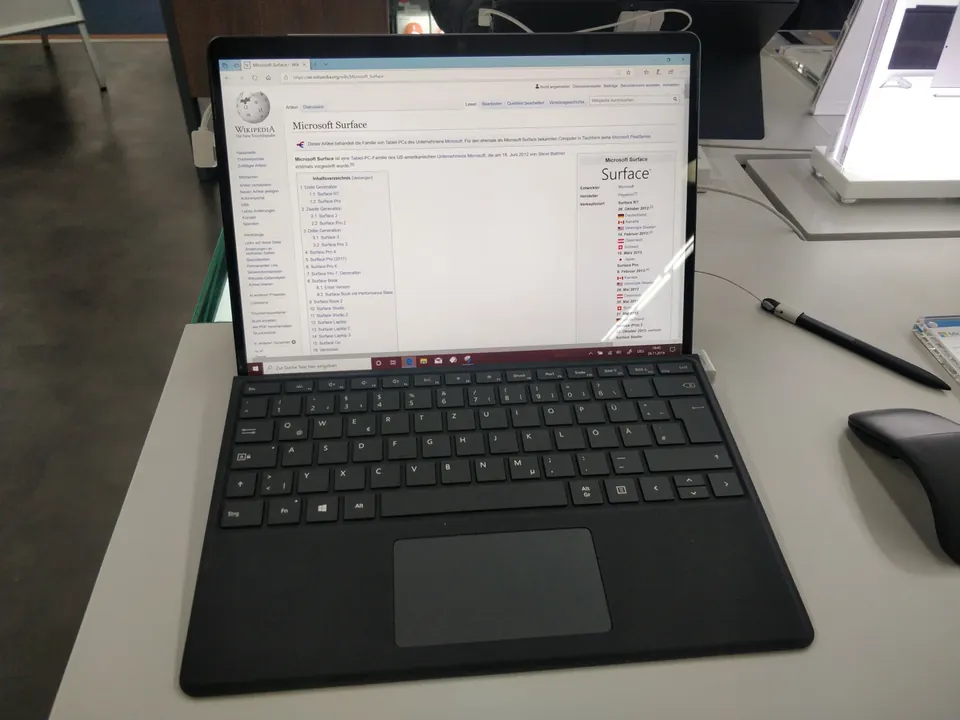
This is research-based compatibility advice, not a hardware review or a live deal list. We checked current Microsoft and vendor documentation on November 12, 2026. We have not benchmarked the pictured devices or tested the workflows below. No price, stock or measured battery-life claim is made for them.
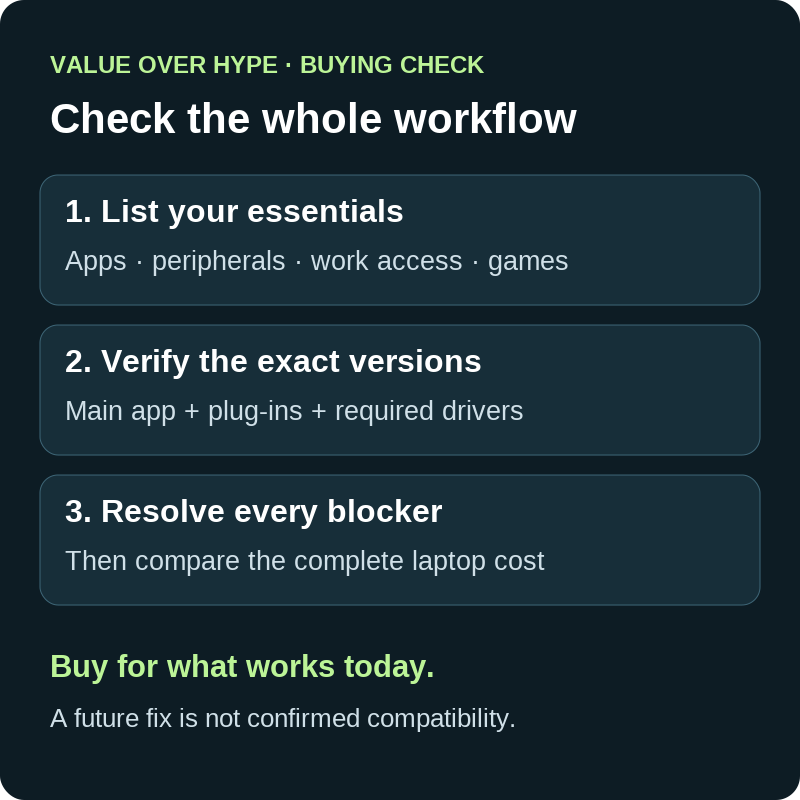
Make a short list of your five essential applications and the equipment you already use. For each, record the exact version, required features and source of support information. Separate a minor inconvenience from a task that would stop you working or studying.
An app that runs is not the same as a supported driver
Windows 11 on Arm can run x86 and x64 applications through emulation. Prism, introduced with Windows 11 24H2, is built into Windows rather than a separate utility buyers need to install. Native Arm applications use an Arm-targeted build instead.
These are different ways to run software, not a simple good-versus-bad ranking. An emulated application may meet your needs. A native application may still lack a feature or compatible companion product your work requires.
Drivers are a separate compatibility boundary. Microsoft says hardware and software drivers must be designed for Windows 11 Arm-based PCs. Emulating the main application does not make an incompatible driver work. This guide concerns Windows 11; do not apply old Windows 10 Arm compatibility advice without checking its scope.
Sources: Microsoft: Windows 11 Arm compatibility and drivers · Microsoft Learn: x86/x64 emulation and Prism
Check the application and version, not just the brand
Search the publisher’s current requirements for your exact edition and version. Look for explicit Windows on Arm or Windows ARM64 support, then check how the app is installed and updated. A supported current release does not establish support for the older copy you own.
Adobe’s current page for Snapdragon X Series Copilot+ PCs illustrates the distinction: Photoshop and Lightroom are listed as native, while Lightroom Classic and Acrobat are listed under emulation. Similar names do not establish the same status. This is the scope of that Adobe page, not a certification of every computer carrying a Copilot+ label.
Next, write down what you do inside the app. Opening a photo is different from running a particular plug-in, importing a specialist file and exporting a finished project. Check those dependencies separately. Ask whether a required upgrade adds cost or changes how you exchange files with other people.
Sources: Adobe: Snapdragon X Series app compatibility
- Application: exact name, edition and version.
- Dependencies: plug-ins, extensions, file formats and connected hardware.
- Evidence: publisher support page and the date you checked it.
- Decision: supported essential, acceptable compromise, or unresolved blocker.
Inventory what you plug in, including the controls you need
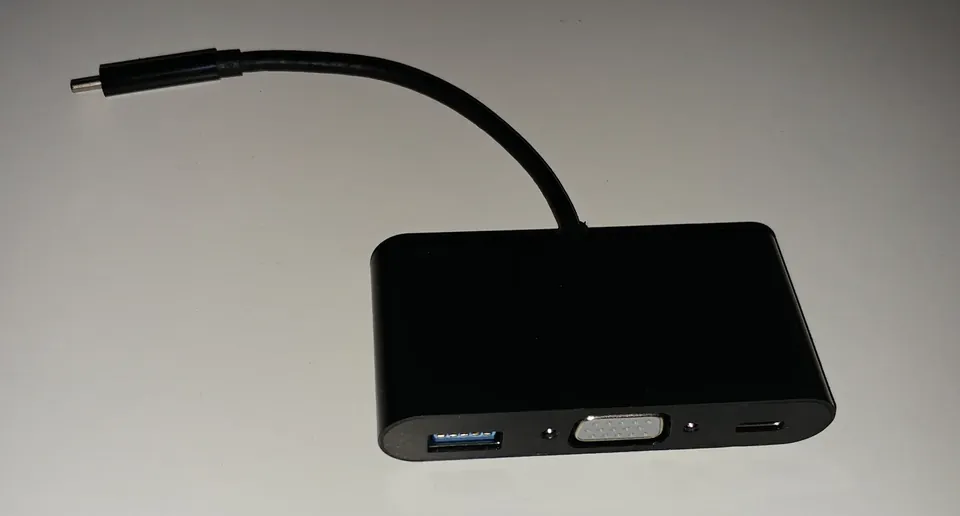
List your printer, scanner, dock, audio interface, drawing tablet and specialist USB devices by exact model. Check manufacturer driver downloads and support notes. Microsoft says peripherals can work through drivers included in Windows or manufacturer-provided Arm64 drivers, so do not assume all older accessories are incompatible.
Basic operation and full functionality are different checks. Printing a page, scanning a document and using a vendor’s management utility are separate tasks. Confirm each feature you actually rely on rather than stopping at “the computer detects it.”
Focusrite provides a concrete example. Its USB driver and Control applications support Windows on Arm, with installers differing by interface. Vocaster devices can use its standalone driver for audio, while VocasterHub is not compatible. The right conclusion is to check the exact model and control software, not to label all audio interfaces supported or unsupported.
A USB-C connector alone cannot settle driver or display compatibility. For a monitor setup, confirm the laptop’s display-output support and the dock’s required software as well as its physical ports.
Sources: Microsoft: Windows 11 Arm compatibility and drivers · Focusrite: Windows-on-Arm interfaces and software
Let work or school requirements veto the purchase
Before buying a machine for work, ask IT about the complete approved configuration. Include the VPN, endpoint protection, device management and authentication tools. For school, ask about required coursework and assessment software. Your personal browser working is not enough.
Cisco’s Secure Client 5.1 support matrix lists specified Windows 11 ARM64 systems but excludes Network Access Manager and ThousandEyes Endpoint Agent on that platform. That is not a claim that Cisco VPN generally fails on Arm. It shows why the brand name alone cannot approve an employer’s deployment.
A useful question is: “Will you support this Windows ARM64 laptop with our required client version and modules?” If the answer is no, do not disable protections or build your purchase around an unapproved workaround. Resolve that requirement before choosing the laptop.
Sources: Cisco: Secure Client 5.x operating-system and module support
Check each game and its online mode
Do not rely on old claims that anti-cheat games never work on Arm. Epic documents Fortnite availability on Windows on Snapdragon and expanded Windows-on-Arm support in Epic Online Services. Its May 2026 update specifies developer implementation with SDK 1.19.1 or later and excludes the social overlay from the stated services support.
The opposite shortcut is also wrong: support in an anti-cheat platform does not certify every game using it. Check the publisher’s current position for each must-play title, including the launcher and multiplayer mode. A community compatibility report can be a lead, but its hardware, software version and date matter.
Then look for recent performance evidence on the exact processor, graphics, memory and laptop configuration you are considering. A game launching is not proof of acceptable frame rates at your preferred resolution. If gaming is the main purpose, compare suitable gaming laptops rather than assuming an everyday machine will be enough.
Sources: Epic: Fortnite and Online Services on Windows on Snapdragon
Price the working setup, not just the laptop
Once the compatibility essentials are settled, compare the delivered laptop cost plus any required software upgrades or replacement accessories. A discount can disappear if you must replace equipment that already works with your current computer. Do not assume switching architecture itself guarantees longer battery life or better performance on every model.
Record the exact CPU, RAM, storage, screen and included accessories for each offer. Compare credible tests of those configurations, and verify the seller, return policy and current availability at checkout. This guide deliberately recommends a checking process rather than a particular SKU or unverified deal.
If you buy, repeat real tasks with your files and accessories within the retailer’s stated return window. Confirm the policy first, including opened-device conditions and charges. Test the full workflow, not just whether an installer finishes. Keep a reliable alternative available while checking.
Our choice: buy the machine that supports your needs today. If every essential task is covered, Arm is worth comparing on ordinary laptop merits. If a required task is still uncertain, wait or pick an alternative with documented support. A promise of a future fix is not part of a dependable budget.
Common buying questions
Can Windows 11 on Arm run x64 applications?
Yes, through built-in emulation. That does not guarantee that every application, plug-in or required driver is supported.
Does native Arm support mean every feature works?
No. Check the edition, version, plug-ins, peripheral software and tasks you need. Native describes the app build, not a guarantee about its entire workflow.
Should I avoid Arm if I use a printer or play games?
Not automatically. Check the exact device and its functions, or each game and online mode, against current publisher support. Avoid buying when a must-have remains unresolved.
Sources & how we reached our advice
Checked November 12, 2026. We used the primary documentation below for compatibility and specifications. Buying thresholds and decisions are our editorial judgment. This guide does not claim hands-on benchmarks, an exhaustive product ranking, or a test score.
- Microsoft: Windows 11 Arm compatibility and drivers
- Microsoft Learn: x86/x64 emulation and Prism
- Adobe: Snapdragon X Series app compatibility
- Cisco: Secure Client 5.x operating-system and module support
- Focusrite: Windows-on-Arm interfaces and software
- Epic: Fortnite and Online Services on Windows on Snapdragon
No affiliate links. Editorial standards · Send a correction